A question recently came up on a project we were on which was “Can we have multiple templates for the same custom post type?”. This post type was fairly similar to pages and in order to maintain URL structure and not screw about with permalinks having something like that would have been incredibly useful.
Turns out, you can, and it’s quite scarily easy.
Every so often, things surprise me like this. Not least for two reasons.
- I had no idea you can do it.
- The only thing I found about it was a Trac Ticket from 2 years ago.
It’s quick, and easy, and I feel like it’s passed me by as nobody really has shouted about it. So this post will show you how. It’s dead simple.
Adding The “Template Post Type” Header to Theme Files
Within theme files, you can add a header of “Template Post Type”. This takes one field – the post type name, which will be the associated post type name (the lowercase one used on all posts). So for example, if you have an ‘event’ custom post type, you can add this:-
1 2 3 4 5 6 7 | <?php /* Template Name: Custom Event Template Template Post Type: event */ get_header(); |
Following adding this, the Attributes box will appear, with the template below you can select from.
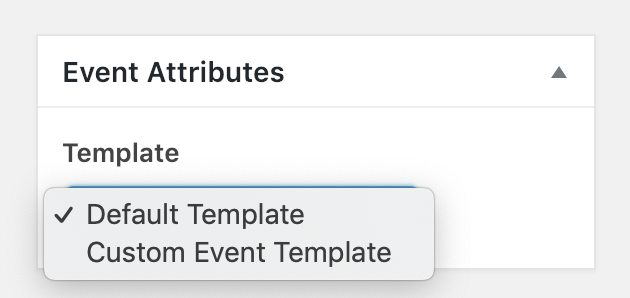
You can also add a template to multiple custom post types, by adding a comma and adding more post type names in a comma separated list like so.
1 2 3 4 5 6 7 | <?php /* Template Name: Custom Event Template Template Post Type: event, testimonial */ get_header(); |
Multiple templates for a custom post type is one of those things I didn’t know existed, and surprised me when I found it out. Furthermore, this is quick, easy, simple and can be implemented with not much work. Top work everybody!